
Best Website UI Design Tips for Better User Experience 2026
A website’s design is often the first thing visitors notice. If the layout looks outdated, confusing, or cluttered, users may leave within seconds. That is why learning effective UI design tips is essential for every website owner, designer, and business.
UI (User Interface) design focuses on how users interact with a website. A clean and user-friendly interface improves engagement, increases trust, and helps visitors complete actions like reading content, filling forms, or making purchases.
In this guide by worldtricks4u, you will learn practical and modern UI design tips that can improve your website’s appearance, usability, and performance.

What Is UI Design?
UI design refers to the visual and interactive elements of a website. This includes buttons, navigation menus, typography, colors, spacing, forms, and layouts.
Good UI design helps users:
- Navigate easily
- Find information quickly
- Enjoy a smooth browsing experience
- Trust the website more
A strong user interface also supports SEO because search engines value websites with better user experience and lower bounce rates.
Why UI Design Matters for Websites
Modern users expect websites to be fast, responsive, and easy to use. Even high-quality content can fail if the interface is difficult to understand.
Here are a few benefits of good UI design:
- Improves user engagement
- Increases conversion rates
- Builds brand credibility
- Enhances mobile experience
- Supports SEO performance
Following the right UI design tips can help your website stand out from competitors.
Read More : Best Website UI Design Tips for Better User Experience
Top Website UI Design Tips
1. Keep the Design Simple
One of the most important UI design tips is simplicity. Avoid adding too many colors, animations, or unnecessary elements.
A clean layout helps users focus on important content.
Best Practices:
- Use enough white space
- Limit font styles
- Keep navigation clear
- Avoid visual clutter
Simple designs often perform better because they are easier to understand.
2. Use Clear Navigation
Users should find information quickly without confusion. Your navigation menu must be organized and visible on every page.
Good Navigation Includes:
- Simple menu labels
- Sticky headers
- Search functionality
- Mobile-friendly navigation
A confusing menu can frustrate visitors and increase bounce rates.
3. Focus on Mobile Responsiveness
Most users now browse websites using smartphones. Mobile-friendly design is no longer optional.
Responsive UI automatically adjusts to different screen sizes and devices.
Mobile UI Design Tips:
- Use larger buttons
- Optimize images
- Avoid tiny text
- Keep layouts flexible
Google also prioritizes mobile-friendly websites in search rankings.
4. Improve Website Loading Speed
A slow website creates a poor user experience. Visitors expect pages to load quickly.
Ways to Improve Speed:
- Compress images
- Use lightweight themes
- Enable browser caching
- Reduce unnecessary scripts
Fast websites not only improve usability but also support SEO rankings.
5. Choose Readable Typography
Typography plays a major role in user experience. If text is difficult to read, users may leave your site.
Typography Best Practices:
- Use clean fonts
- Maintain proper spacing
- Keep font sizes readable
- Use strong heading hierarchy
Readable text helps users consume content more comfortably.
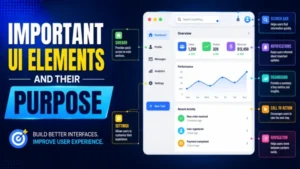
Important UI Elements and Their Purpose
| UI Element | Purpose | Best Practice |
|---|---|---|
| Navigation Menu | Helps users explore pages | Keep it simple and organized |
| Buttons | Encourage actions | Use clear call-to-action text |
| Typography | Improves readability | Use clean and consistent fonts |
| Images | Increase visual appeal | Optimize for speed and quality |
| Forms | Collect user information | Keep forms short and easy |
6. Use Consistent Colors and Branding
Consistency creates a professional look. Your website colors, icons, and typography should match your brand identity.
UI Design Tips for Branding:
- Use 2–3 primary colors
- Maintain consistent button styles
- Keep design elements uniform
Strong branding improves recognition and trust.
7. Make Call-to-Action Buttons Visible
CTA buttons guide users toward important actions like signing up, contacting you, or purchasing products.
Good CTA buttons should:
- Use contrasting colors
- Include action-focused text
- Be easy to spot
Examples:
- Get Started
- Contact Us
- Learn More
Well-designed CTAs can significantly increase conversions.
8. Improve Accessibility
Accessible websites can be used by everyone, including people with disabilities.
Accessibility UI Design Tips:
- Use proper color contrast
- Add image alt text
- Enable keyboard navigation
- Use descriptive labels
Accessibility improves user experience and helps your site reach a wider audience.
9. Add Visual Hierarchy
Visual hierarchy helps users understand what content is most important.
Ways to Create Hierarchy:
- Use larger headings
- Highlight key buttons
- Add spacing between sections
- Use bold text strategically
This makes content easier to scan and improves readability.
10. Test and Update Regularly
UI design is not a one-time task. User behavior and design trends change over time.
Regular Testing Helps You:
- Identify usability issues
- Improve navigation
- Increase engagement
- Optimize conversions
Use tools like heatmaps, analytics, and user feedback to improve your interface continuously.
Common UI Design Mistakes to Avoid
Even experienced designers can make mistakes. Here are some common issues that hurt user experience:
Overusing Animations
Too many animations can slow down your website and distract users.
Poor Color Contrast
Text should always be easy to read against the background.
Complicated Forms
Long forms reduce conversions. Ask only for essential information.
Inconsistent Design
Different button styles and layouts make websites look unprofessional.
Avoiding these mistakes can greatly improve usability.
How UI Design Supports SEO
Many people think UI design only affects appearance, but it also impacts search engine optimization.
Good UI design:
- Reduces bounce rate
- Increases session duration
- Improves mobile usability
- Enhances page speed
Search engines reward websites that provide better user experiences.
By applying smart UI design tips, you improve both usability and rankings.
Final Thoughts
Creating a successful website requires more than attractive visuals. A well-designed user interface helps visitors navigate easily, trust your brand, and take action.
The best UI design tips focus on simplicity, responsiveness, readability, accessibility, and performance. Small improvements in your website’s interface can lead to better engagement, stronger SEO results, and higher conversions.
At worldtricks4u, we believe that user-friendly design is the foundation of every successful website. Start applying these UI improvements today to create a smoother and more professional online experience.
FAQs
1. What are UI design tips?
UI design tips are strategies used to improve a website’s appearance, usability, and user experience.
2. Why is UI design important for SEO?
Good UI design improves user engagement, page speed, and mobile experience, which helps SEO rankings.
3. How can I improve my website UI?
You can improve UI by simplifying layouts, optimizing speed, using readable fonts, and making navigation user-friendly.
4. What is the difference between UI and UX?
UI focuses on visual design and interaction, while UX focuses on the overall user experience and satisfaction.

Riya kohli
Riya is a content writer with 5+ years of experience in creating clear, engaging, and SEO-friendly content that helps businesses grow online.