
Best CMS Comparison Platforms Guide 2026 | worldtricks4u
Choosing the right content management system is one of the most important decisions for any website owner. Whether you are building a blog, business website, eCommerce store, or portfolio, your CMS directly affects website performance, SEO, flexibility, and user experience.
With so many options available today, selecting the best platform can feel confusing. Some CMS platforms are beginner-friendly, while others offer advanced customization for developers. That is why a detailed CMS comparison helps users understand which platform fits their goals, budget, and technical skills.
In this guide from worldtricks4u, we will explore the best CMS platforms, compare their features, and explain how to choose the right solution for your website.
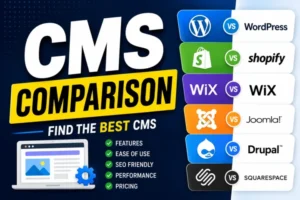
What Is a CMS Platform?
A CMS, or Content Management System, is software that allows users to create, manage, and publish website content without needing advanced coding knowledge.
A CMS platform typically provides:
- Content editing tools
- Theme customization
- Plugin or extension support
- SEO features
- User management
- Media uploads
Modern CMS platforms make website management easier for beginners and professionals alike.
Why a CMS Comparison Matters
Every CMS platform offers different strengths and limitations. Some focus on flexibility, while others prioritize simplicity or eCommerce features.
A proper CMS comparison helps you evaluate:
- Ease of use
- SEO capabilities
- Customization options
- Security
- Scalability
- Pricing
- Performance
Choosing the wrong CMS can create long-term challenges, including poor SEO performance, limited customization, or expensive maintenance.
Read More: Business Blogging for Growth and SEO Success
Best CMS Platforms for Websites
Below are some of the best CMS platforms widely used by businesses, bloggers, and developers.
WordPress
WordPress is the world’s most popular CMS platform and powers millions of websites globally.
Why WordPress Is Popular
WordPress offers excellent flexibility, thousands of plugins, and strong SEO capabilities. It works well for blogs, business websites, online stores, and portfolios.
Key Features
- Beginner-friendly dashboard
- Large plugin library
- Thousands of themes
- Strong SEO support
- Full customization options
Best For
- Bloggers
- Small businesses
- Content websites
- SEO-focused websites
WordPress remains a top choice in almost every CMS comparison because of its flexibility and large community support.
Shopify
Shopify is one of the leading eCommerce CMS platforms designed specifically for online stores.
Advantages of Shopify
Shopify simplifies online selling with built-in payment processing, product management, and security features.
Key Features
- Easy product management
- Secure hosting
- Mobile-friendly themes
- Inventory management
- Built-in payment support
Best For
- Online stores
- Product-based businesses
- Beginners in eCommerce
Shopify is ideal for users who want an easy-to-manage eCommerce solution without handling technical maintenance.
Wix
Wix is a beginner-friendly website builder and CMS platform known for its drag-and-drop interface.
Why Wix Is Popular
Wix allows users to create professional websites quickly without coding skills.
Key Features
- Drag-and-drop builder
- Built-in hosting
- Easy customization
- Mobile optimization
- App marketplace
Best For
- Personal websites
- Small businesses
- Freelancers
- Beginners
In many CMS comparison discussions, Wix is recommended for simplicity and quick website creation.
Joomla
Joomla is a flexible CMS platform that balances ease of use with advanced functionality.
Benefits of Joomla
Joomla offers stronger built-in features than some CMS platforms while remaining customizable.
Key Features
- Advanced user management
- Multilingual support
- Flexible content organization
- Strong security options
Best For
- Membership websites
- Community portals
- Medium-sized businesses
Joomla works well for users who need more advanced functionality without fully relying on developers.
Drupal
Drupal is a powerful CMS platform preferred by developers and large organizations.
Why Developers Choose Drupal
Drupal offers advanced security, scalability, and customization capabilities.
Key Features
- Enterprise-level security
- Highly customizable
- Scalable architecture
- Advanced content management
Best For
- Government websites
- Enterprise businesses
- Large-scale projects
Drupal often appears in professional CMS comparison guides because of its strong security and scalability.
Squarespace
Squarespace is known for elegant templates and visually attractive website designs.
Advantages of Squarespace
Squarespace combines hosting, design, and CMS features into one simple platform.
Key Features
- Beautiful templates
- Built-in SEO tools
- Responsive designs
- Easy content editing
Best For
- Creative professionals
- Portfolio websites
- Small businesses
Squarespace is especially popular among photographers, designers, and creative agencies.
CMS Comparison Table
| CMS Platform | Best For | Ease of Use | SEO Features | Customization |
|---|---|---|---|---|
| WordPress | Blogs & Businesses | Easy | Excellent | Very High |
| Shopify | eCommerce Stores | Very Easy | Good | Medium |
| Wix | Beginners | Very Easy | Good | Medium |
| Joomla | Community Sites | Moderate | Good | High |
| Drupal | Enterprises | Advanced | Excellent | Very High |
| Squarespace | Portfolios | Easy | Good | Medium |
This CMS comparison table helps users quickly understand the strengths of each platform.
Important Features to Consider in a CMS
Before selecting a CMS platform, consider the following essential factors.
SEO Capabilities
SEO-friendly CMS platforms help improve search rankings through customizable URLs, meta tags, mobile responsiveness, and fast loading speeds.
WordPress is especially popular because of powerful SEO plugins like Yoast SEO.
Ease of Use
Beginners should prioritize CMS platforms with simple dashboards and intuitive editing tools.
Wix and Shopify are excellent options for users with limited technical experience.
Customization Options
Flexible CMS platforms allow users to modify designs, features, and functionality as their website grows.
WordPress and Drupal provide the highest customization flexibility.
Security Features
Website security is critical for protecting user data and preventing cyber threats.
Platforms like Shopify and Drupal are known for strong built-in security systems.
Mobile Responsiveness
Modern CMS platforms should support responsive website design to ensure smooth browsing across all devices.
Mobile optimization also improves SEO performance significantly.
Which CMS Platform Is Best?
The best CMS depends on your specific needs and goals.
Choose WordPress If:
- You want strong SEO features
- You need flexibility
- You plan to grow your website long-term
Choose Shopify If:
- You want to build an online store
- You prefer easy management
- You want built-in eCommerce tools
Choose Wix or Squarespace If:
- You are a beginner
- You need a quick website setup
- Design simplicity matters most
Choose Drupal or Joomla If:
- You require advanced functionality
- You manage large websites
- You need enterprise-level customization
A careful CMS comparison helps avoid future limitations and ensures smoother website growth.
Future Trends in CMS Platforms

CMS technology continues evolving rapidly. Modern platforms now focus more on:
- AI-powered website management
- Headless CMS architecture
- Improved security systems
- Faster website performance
- Personalized content experiences
Businesses that adapt to these trends can build faster, smarter, and more scalable websites.
Conclusion
Choosing the right CMS platform is essential for website success. A good CMS improves content management, SEO performance, user experience, and long-term scalability.
This CMS comparison from worldtricks4u highlights the strengths of the most popular platforms, helping you select the best solution based on your goals and technical requirements.
Whether you choose WordPress, Shopify, Wix, Joomla, Drupal, or Squarespace, the key is selecting a CMS that supports your growth while remaining easy to manage and optimize.
FAQs
1. What is the best CMS platform for beginners?
Wix and WordPress are popular beginner-friendly CMS platforms because they are easy to use and highly flexible.
2. Which CMS is best for SEO?
WordPress is widely considered one of the best CMS platforms for SEO because of its plugins and customization options.
3. Is Shopify only for eCommerce websites?
Yes, Shopify mainly focuses on online stores and eCommerce website management.
4. Why is CMS comparison important?
A CMS comparison helps users choose the right platform based on features, SEO, customization, and business goals.
