
Website Security Tips for Better Protection & SEO | worldtricks4u
In today’s digital world, having a secure website is more important than ever. Whether you run a personal blog, an online store, or a business website, cyber threats are constantly evolving. Hackers target websites to steal data, spread malware, or damage reputations. That’s why understanding website security is essential for every website owner.
A secure website not only protects your data but also improves user trust and search engine rankings. Search engines like Google prioritize safe websites, meaning strong website can also support your SEO performance. In this guide by worldtricks4u, you’ll learn practical and effective website security tips to keep your website safe from cyber attacks.

Why Website Security Matters
Website is the process of protecting websites, web applications, and online data from cyber threats. A hacked website can result in financial loss, data theft, lower search rankings, and loss of customer trust.
Many website owners think hackers only target large companies, but small websites are equally vulnerable. Automated bots continuously scan the internet looking for weak websites. Even a simple blog can become a target if proper website security measures are not in place.
Strong website security helps you:
- Protect customer and personal data
- Prevent malware attacks
- Improve website performance
- Maintain SEO rankings
- Build visitor trust
- Avoid website downtime
Use HTTPS and SSL Certificates
One of the first steps toward improving website security is installing an SSL certificate. SSL encrypts the connection between your website and visitors, making it difficult for hackers to steal sensitive information.
Websites using HTTPS are considered more secure and trustworthy. Modern browsers often warn users when a website does not have SSL protection, which can reduce traffic and credibility.
Benefits of SSL certificates include:
- Secure data transmission
- Better SEO rankings
- Improved customer trust
- Protection against data interception
Most hosting providers now offer free SSL certificates, making it easier than ever to secure your website.
Read More: Facebook Ads tips for Better ROI
Keep Your Website Software Updated
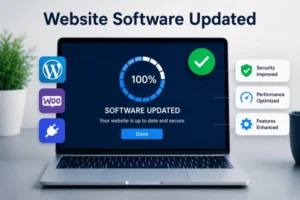
Outdated software is one of the biggest causes of website hacking. Whether you use WordPress, Joomla, plugins, or themes, regular updates are essential for strong website security.
Developers release updates to fix bugs, improve performance, and patch security vulnerabilities. Ignoring updates gives hackers an opportunity to exploit known weaknesses.
Important Areas to Update
| Website Component | Why It Matters |
|---|---|
| CMS Platform | Fixes security vulnerabilities |
| Plugins | Prevents outdated plugin exploits |
| Themes | Removes hidden security risks |
| PHP Version | Improves performance and protection |
| Server Software | Keeps hosting environment secure |
At worldtricks4u, we always recommend enabling automatic updates whenever possible to reduce security risks.
Use Strong Passwords and Authentication
Weak passwords are one of the easiest ways hackers gain access to websites. Many users still use simple passwords like “123456” or “password,” which are extremely unsafe.
A strong password should include:
- Uppercase and lowercase letters
- Numbers
- Special characters
- At least 12 characters
You should also enable Two-Factor Authentication (2FA). This adds an extra layer of website security by requiring a second verification step during login.
Popular authentication methods include:
- SMS verification
- Authentication apps
- Email verification codes
Using password managers can also help create and store secure passwords safely.
Choose Secure Web Hosting

Your hosting provider plays a major role in website security. Cheap or unreliable hosting services may lack proper security protections, making your website more vulnerable.
When selecting hosting, look for features such as:
- Firewall protection
- Malware scanning
- Daily backups
- DDoS protection
- Server monitoring
- SSL support
Managed hosting services often provide additional website features that help protect your site automatically.
Regularly Backup Your Website
Even with strong website security measures, accidents and attacks can still happen. Regular backups ensure you can quickly restore your website if something goes wrong.
A good backup strategy should include:
- Daily automated backups
- Cloud storage backups
- Backup testing
- Separate backup locations
Backups can save your website from ransomware attacks, server failures, and accidental data loss.
Many website owners realize the importance of backups only after losing important files. Preventive action is always better than recovery.
Install a Website Firewall

A Web Application Firewall (WAF) helps filter malicious traffic before it reaches your website. Firewalls are one of the most effective website security tools available today.
A firewall can help block:
- SQL injection attacks
- Brute-force login attempts
- Malware traffic
- Spam bots
- DDoS attacks
Cloud-based firewall services are especially useful because they provide real-time threat protection and improve website performance.
Scan for Malware Regularly
Malware can silently infect your website and damage both visitors and search rankings. Some malware redirects users to harmful pages, while others steal sensitive information.
Regular malware scanning helps detect problems early before they become serious.
Signs your website may be infected include:
- Sudden traffic drops
- Strange popups
- Browser security warnings
- Slow loading speed
- Unknown admin accounts
Using trusted security plugins and monitoring tools can help maintain strong website security.
Limit User Access and Permissions
Not every user needs full control over your website. Limiting access reduces the chances of accidental mistakes or unauthorized changes.
Follow the principle of least privilege, which means users should only get the permissions necessary for their role.
For example:
- Writers should not access security settings
- Editors should not install plugins
- Contributors should not manage users
Managing permissions carefully improves overall website security and reduces internal risks.
Protect Against Brute Force Attacks
Brute-force attacks occur when hackers repeatedly try different username and password combinations until they gain access.
To prevent brute-force attacks:
- Limit login attempts
- Use CAPTCHA protection
- Change default admin usernames
- Enable 2FA
- Monitor login activity
These simple steps can significantly improve your website security.
Monitor Website Activity
Continuous monitoring allows you to identify suspicious behavior before it becomes a major issue.
Monitoring tools can track:
- Login attempts
- File changes
- Traffic spikes
- Unauthorized access
- Malware detection
Website monitoring is an important part of long-term website security maintenance.
Improve Website Security for Better SEO
Search engines prioritize secure websites because user safety is important. Poor website security can lead to penalties, blacklisting, and ranking drops.
A hacked website may display spam pages or harmful content, negatively affecting SEO performance.
Good website security supports SEO by:
- Improving user trust
- Reducing downtime
- Preventing malware warnings
- Maintaining clean search results
- Supporting HTTPS ranking signals
At worldtricks4u, we believe website security and SEO should always work together for long-term online success.
Final Thoughts
Website security is no longer optional. Every website owner must take proactive steps to protect their online presence from cyber threats. From using SSL certificates to enabling two-factor authentication and regular backups, small actions can make a huge difference.
Cyber attacks continue to grow every year, but strong website security practices can help you stay protected. A secure website improves trust, boosts SEO rankings, and keeps your visitors safe.
By following these website security tips from worldtricks4u, you can build a safer, stronger, and more reliable website for the future.
FAQs
1. What is website security?
Website security refers to the methods and tools used to protect websites from hacking, malware, and cyber attacks.
2. Why is SSL important for website security?
SSL encrypts data between users and websites, improving safety, trust, and SEO rankings.
3. How often should I backup my website?
Daily backups are recommended for most websites, especially business and eCommerce sites.
4. Can website security affect SEO?
Yes, poor website security can harm search rankings, while secure websites often perform better in search results.
